4K WiFi Dual-Screen Android Projector for Streaming
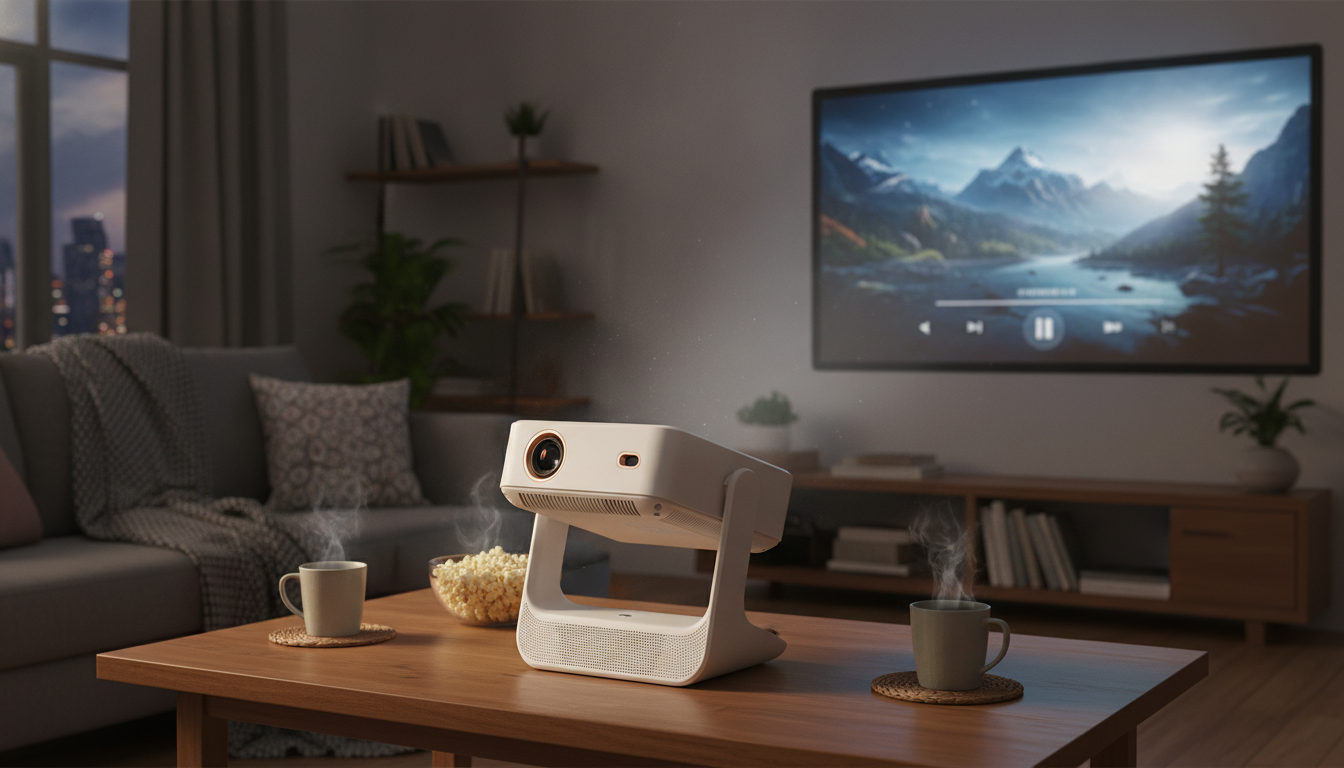
4K WiFi Projector with Dual Screen & Android OS: Stream, Mirror, and Share in One Setup
A modern home setup often needs more than a single input and a basic image. A dual-screen projector with built-in Android and WiFi is designed for quick streaming, easy device mirroring, and flexible side-by-side viewing—useful for movie nights, casual gaming, presentations, and split-content entertainment without adding extra boxes and cables. Instead of juggling a TV, a streaming stick, and extra adapters, a single all-in-one projector can become the “big screen” that moves with you from living room to bedroom to backyard (as lighting allows).
What a Dual-Screen Android Projector Is Best For
- Split viewing for sports + chat, slides + demo, or video + notes, depending on the projector’s dual-screen modes and which sources it can combine.
- Built-in Android convenience for streaming apps, basic browsing, and local file playback—reducing the need for a separate TV box.
- Wireless screen mirroring from phones and tablets when sharing photos, short clips, or quick app screens during get-togethers.
- Portable room-to-room use when a dedicated TV isn’t ideal, such as dorm rooms, guest rooms, or temporary workspaces.
For a helpful refresher on projector terminology (throw distance, keystone, lumen ratings, and more), Projector Central’s glossary is a solid reference: https://www.projectorcentral.com/glossary.cfm.
Key Features That Matter in Daily Use
- Android OS convenience: A familiar interface can speed up navigation, simplify playback from USB storage, and reduce device switching for casual streaming.
- WiFi connectivity: Wireless casting/mirroring and smoother streaming workflows depend heavily on network stability. If your router is far away, a mesh node can help.
- Dual screen capability: Great for comparing content or multitasking, but it’s important to confirm what split modes exist (side-by-side vs picture-in-picture) and what combinations are supported.
- 4K support: Some projectors are native 4K, while others accept 4K input and scale it. Either way, 4K compatibility can make modern sources easier to connect and manage.
- Audio handling: Built-in speakers work for casual viewing, but pairing external audio (Bluetooth or aux) usually improves dialogue clarity and impact.
- Keystone/focus controls: If the projector moves between rooms, quick focus and keystone adjustment reduce setup time and keep the picture looking crisp.
WiFi performance can vary by environment and device. For background on WiFi standards and certification, see the Wi‑Fi Alliance: https://www.wi-fi.org/discover-wi-fi. For Android platform basics, the official site is here: https://www.android.com/.
At-a-Glance: Projector Setup Checklist
A strong first setup is mostly about placement, light control, and a quick test of the features you’ll actually use—streaming, mirroring, and dual-screen modes.
| Step | What to do | Why it helps |
|---|---|---|
| Placement | Position level and aim at the screen/wall | Reduces keystone correction and keeps edges sharper |
| Lighting | Dim lights or use curtains | Improves perceived contrast and color |
| Network | Join a stable WiFi network | Prevents buffering and reduces casting dropouts |
| Sound | Test volume and connect external audio if needed | Better clarity for movies and dialogue |
| Dual screen | Try split modes with your two sources | Avoids surprises with app/source compatibility |
Product Spotlight: 4K WiFi Projector with Dual Screen & Android OS
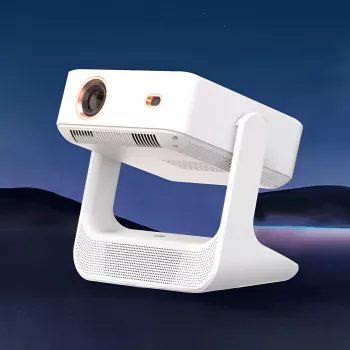
If the goal is a single device that can handle streaming, mirroring, and split viewing with fewer add-ons, the 4K WiFi Projector with Dual Screen & Android OS is built around that all-in-one approach. An Android-based interface keeps everyday navigation simple, while WiFi support enables wireless casting and streaming workflows without immediately reaching for extra dongles. The dual-screen feature is aimed at side-by-side viewing use cases—handy for comparing content or keeping a second feed visible while the main program runs.
- Use case fit: home entertainment spaces, dorm rooms, and occasional presentations where a large projected image is more practical than a TV.
- Current price: $239.51 (in stock).
Dual Screen: Practical Ways to Use It
Android OS Tips for Better Streaming and Playback
Wireless Mirroring: What to Expect
Small Add-Ons That Improve the Experience
A projector setup isn’t only about the image—comfort and workflow matter too. If you’re building a more “stay awhile” viewing space, a little atmospheric help can make long sessions more enjoyable. The UFO Ultrasonic Air Humidifier & Essential Oil Diffuser with Remote Control is a simple add-on for a bedroom or media room, especially during dry seasons.
For presentations, side-by-side demos, or work sessions where you’re frequently preparing on-screen material, a focused productivity resource can help streamline the routine. Cursor AI Unleashed: Your Step-by-Step Guide to Smarter Workflows can be a handy companion for organizing scripts, outlines, or quick edits before projecting to a larger audience.
FAQ
Does dual-screen mean two separate HDMI inputs at the same time?
Not always. “Dual-screen” can refer to split-display modes that combine sources in specific ways, so it’s important to confirm which inputs and apps can run simultaneously and what split modes are supported.
Is 4K quality guaranteed on screen?
No—“4K support” may mean native 4K or 4K input support with scaling. Real-world sharpness also depends on focus, projection surface, distance, and how much ambient light is in the room.
Can a projector with Android replace a streaming stick?
Built-in Android can cover many streaming needs, but app performance, DRM restrictions, and update cadence can vary. A streaming stick can still be a useful backup for specific services or smoother playback.



Leave a comment